
Rugby Subs Fees Tracker Excel – Free Template (2026)
Accounting & GST
LTC Income Excel - Free Template
Track LTC income, expenses and shareholder allocations with NZBN, IRD number and summary sheets for New Zealand look-through companies.
2026-07-02
205 downloads
4.8/5 average rating
Download template
This Excel template tracks look-through company income, deductible expenses, net results and shareholder allocations in one workbook. It includes an income register, a summary sheet, lookup lists and instructions, so you can keep the numbers tidy for each financial year.
It is built for New Zealand LTCs that need a simple way to record company income, split it by shareholder ownership percentage and see what is taxable. The layout suits a sole adviser, a bookkeeper, or a small company director who wants one place for the monthly figures and end-of-year review.
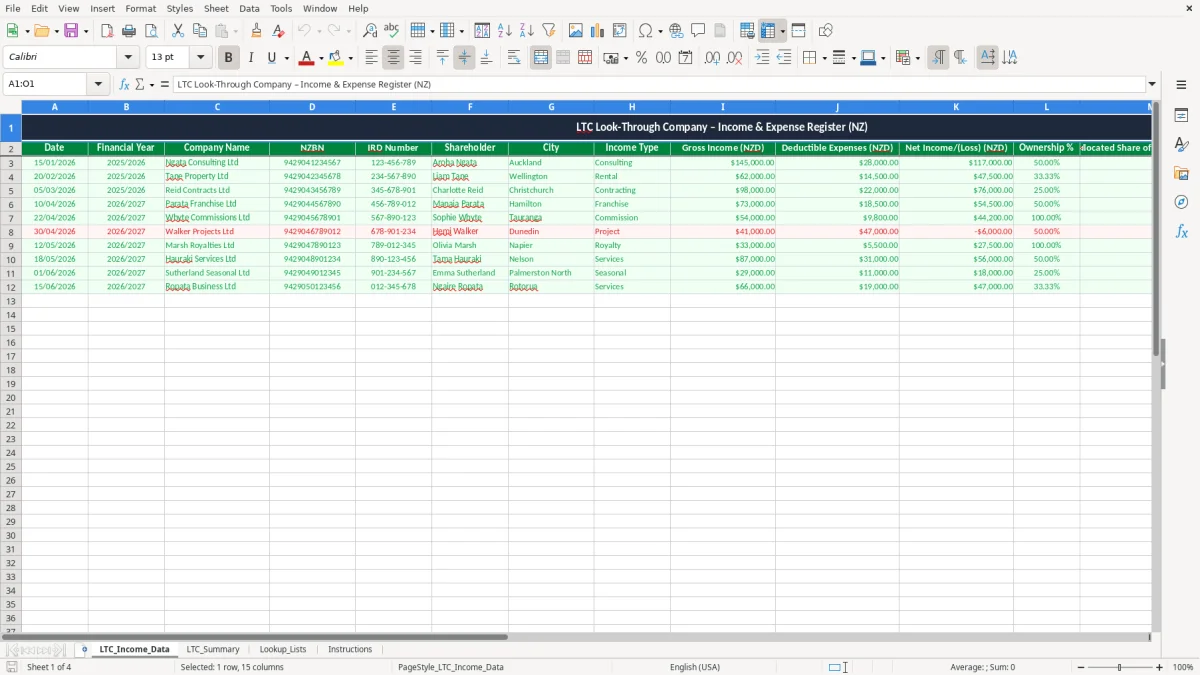
Image 1 shows the data-entry sheet with columns for date, financial year, company name, NZBN, IRD number, shareholder, city, income type, gross income, deductible expenses, net income or loss, ownership %, allocated share, taxable flag and notes.
The key benefits of this Excel template
- Captures each LTC transaction with a date, company details and income type in one line, so you can review a full year without hunting through bank feeds.
- Shows gross income, deductible expenses and net income/(loss) separately, which makes it easier to see whether a job, property or contract is actually paying.
- Allocates net income by ownership percentage, so a 50% shareholder and a 33.33% shareholder can see their share immediately.
- Keeps NZBN and IRD number fields on the record, which is useful when you are matching company data to filing and workpapers.
- Provides a taxable flag and notes column, helping you separate ordinary income from items you want to query before year end.
- Includes a summary sheet, so you can total the year without rebuilding formulas by hand.
- Helps you stay organised across multiple shareholders or income streams, especially when you are closing off the profit and loss at 31/03/2026.
Step-by-step guide
- Open LTC_Income_Data and enter each income line as it happens. Keep the date, company name, shareholder and income type consistent so the summary stays clean.
- Fill in gross income and deductible expenses for each row. The template is set up to show the net result clearly, so you can see profit and loss without recalculating it.
- Use the ownership % field for each shareholder. If one person owns 50% and another owns 33.33%, the allocated share column can reflect that split exactly.
- Check the taxable? column before month-end or year-end. If something needs review, add a note straight away rather than leaving it to memory.
- Use LTC_Summary to total the numbers for the year. That gives you a quick view for the annual accounts, provisional tax planning and shareholder discussions.
- Refer to Lookup_Lists for repeat values such as income types, cities or company names if you want to keep entries consistent.
- Read Instructions first if you are handing the file to staff or a client. It saves time and reduces the risk of people typing data in the wrong place.
Included features
A structured income register with 15 columns, including date, company name, NZBN, IRD number, shareholder and notes.
Built-in fields for gross income, deductible expenses, net income/(loss) and allocated share of net income.
A clear taxable? column to help flag items that need review before they are carried into the accounts.
A summary sheet that rolls the source data up for easier reporting and year-end checking.
Lookup lists to support cleaner data entry and fewer spelling mismatches across the workbook.
Instruction sheet for quick onboarding of staff, trustees or family members who help with the records.
Formatted for NZ use, with amounts shown as NZD and dates entered in DD/MM/YYYY format.
Who uses an ltc income spreadsheet in New Zealand
This workbook is for the people who actually have to keep an LTC moving: a sole director, a bookkeeper at a small property company, or a family trust manager who needs the annual figures ready for the return. If one shareholder owns 50% and another owns 25%, you need a clean split, not a pile of bank statements.
Image 1 is the working sheet. It has columns for date, financial year, company name, NZBN, IRD number, shareholder, city, income type, gross income, deductible expenses, net income/(loss), ownership %, allocated share, taxable? and notes.
When it gets used
Most people open a sheet like this at the end of each month, at GST time, or when the accountant starts asking for the year ended 31/03/2026 figures. A Christchurch contractor with $18,000 of monthly income and $6,200 of expenses can see the net result straight away instead of waiting until year end.
Why the layout matters
The split between gross income, expenses and allocated share saves you from doing the same calculation three times. If a company earns $96,000 and the shares are 60% and 40%, the allocated amounts are $57,600 and $38,400 before you even open the accounts package.
What the New Zealand records need to show
For an LTC, the practical standard is the same one Inland Revenue expects across business records: keep enough detail to support the numbers and retain the records for 7 years. That means dates, amounts, names, company identifiers and enough notes to explain why a transaction is taxable or deductible.
If the company is GST-registered, the income lines also help you reconcile the GST return at 15% and make sure the taxable supply information is complete. A company with turnover over $60,000 in any 12-month period must be registered for GST, and the same source data is what backs the 2-monthly or 6-monthly return.
How the tax settings fit in
An LTC itself is a flow-through structure, so the income generally ends up in the owners' hands rather than being taxed like a standard company at 28%. If the annual net income is $80,000 and ownership is 50/50, each shareholder is looking at $40,000 for their own tax position and provisional tax planning.
Why the company fields are included
The NZBN and IRD number fields are not decoration. They make the workbook useful when you are matching the spreadsheet to bank statements, invoices and the company file in myIR, especially if the same director also owns another entity.
That same owner-level split also feeds into the personal tax return for each shareholder, so the figures stay consistent with their individual filing.
Where ltc spreadsheets go wrong and what that costs
The most common failure is dirty input. One row says "consulting", another says "Consulting", and a third is left blank, so the summary sheet no longer tells you the real split by income type.
Small mistakes, real money
Another trap is the ownership percentage. If a 33.33% shareholder is entered as 33, the allocated share is wrong by a third, and on a $90,000 net result that is a $30,000 error before anyone notices.
Expense entries are just as easy to mishandle. If $8,700 of deductible costs are missed across the year, the profit looks too high, and the owners can end up planning provisional tax on money that was never really there.
Why timing matters
Leaving the data until the accountant asks for it in April usually means you are chasing invoices, notes and bank references at the worst possible time. A 20-row clean-up is annoying; a 240-row catch-up before 31/03/2026 can take hours and still leave gaps.
The taxable? flag helps, but only if you use it. If you let uncertain items sit there for months, you are one coding mistake away from a GST correction or a rework of the profit and loss.
How to turn the workbook into a monthly routine
The easiest habit is to update the sheet on a fixed day, not whenever you remember. Most small firms do it right after the bank rec, the pay run or the GST review, because the figures are already in front of you.
Simple routines that stick
- Copy last month’s rows and change only the new dates and amounts.
- Use the lookup lists so income types and company names stay consistent.
- Check the summary after every upload so errors show up early.
- Keep one person responsible for entries, even if more than one person can view the file.
If the workbook is getting heavy, or you are running hundreds of transactions a month, that is usually the point to move to Xero or MYOB and leave Excel as the review tool. For a small LTC with tidy monthly activity, though, this file is usually enough.
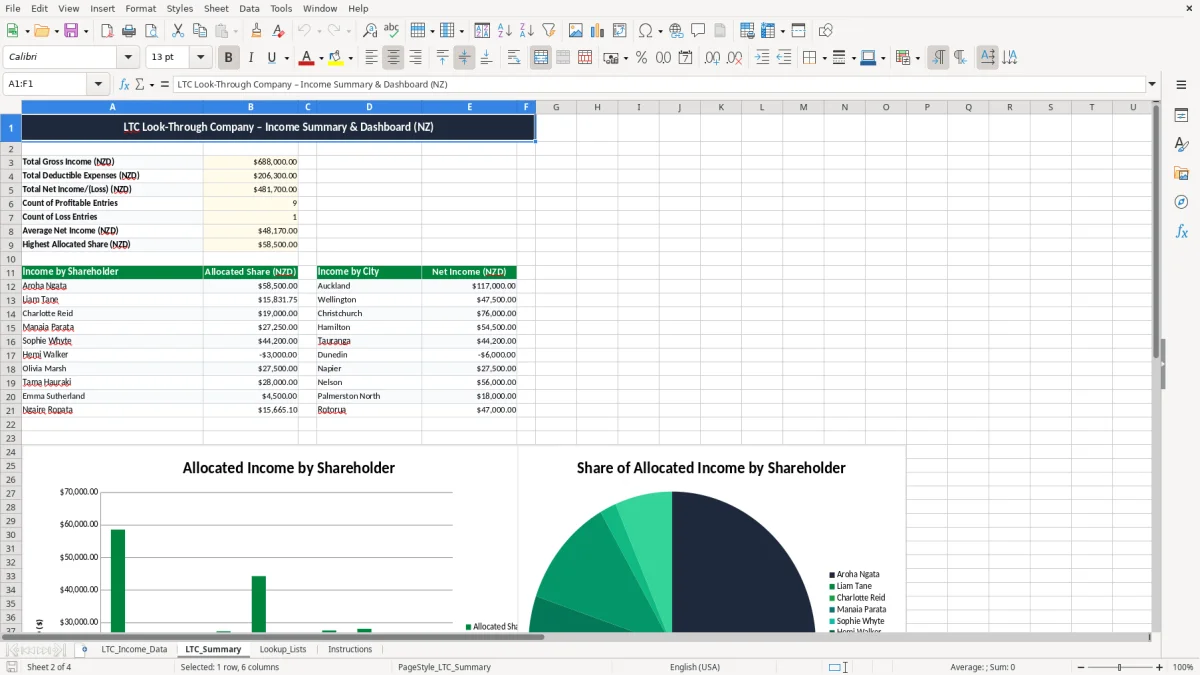
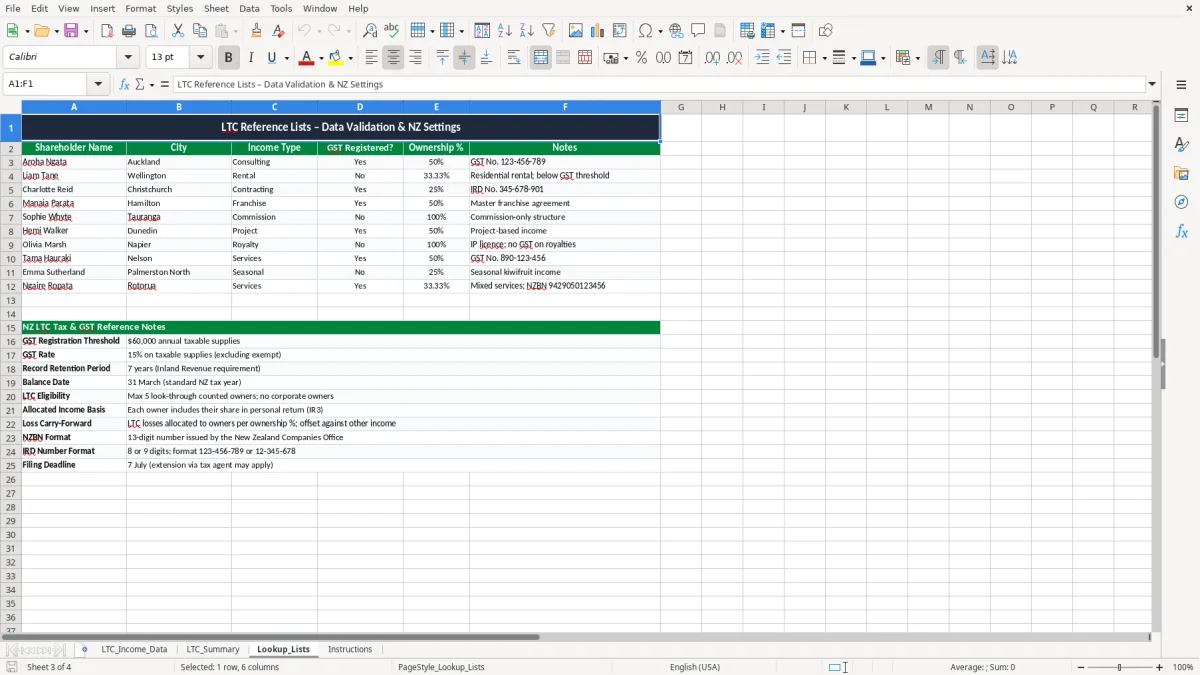
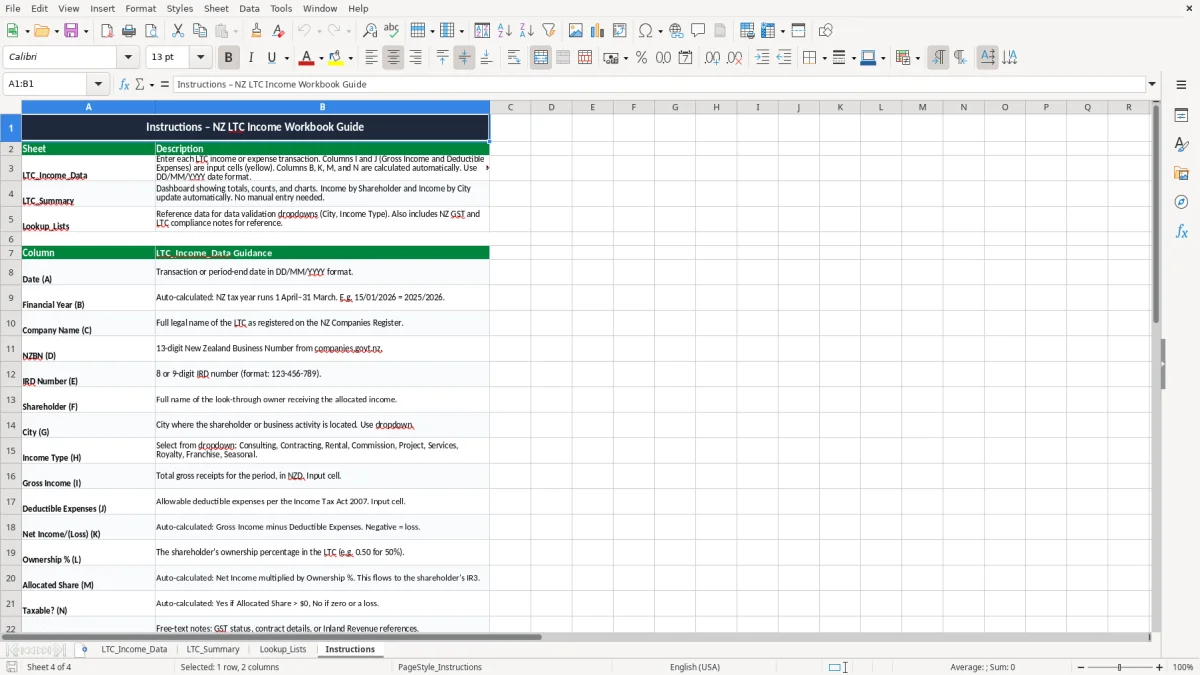
Image 2 shows the summary sheet, which is the one you will probably print or export at month-end. Image 3 is the lookup list sheet, and Image 4 holds the instructions for anyone who needs a quick handover.
Common questions about this template
It is used to record look-through company income, deductible expenses, ownership splits and the allocated share for each shareholder. That gives you one tidy source for month-end review and year-end accounts.
Yes. The ownership % and allocated share columns are designed for multiple owners, so you can split a $72,000 net result across two or more shareholders without doing it by hand each time.
Yes, it helps support the numbers that feed into your GST return, especially if the company is registered and you need to keep proper source records for 7 years. It does not file the return for you, but it makes the reconciliation much easier.
The summary sheet rolls up the source entries so you can see the year’s totals without rebuilding formulas. That is useful when you are checking net income, deductible expenses and shareholder allocations before 31/03/2026.
Yes. You can update the lookup sheet with your own company names, cities or income types, which helps keep entries consistent and reduces spelling errors in the main register.
Yes, if you need a straightforward register for LTC income and expense tracking rather than full accounting software. It works best where the transaction volume is modest and you want a clear spreadsheet for review, not a full ledger.
Download
File format
Excel (.xlsx)
Compatible software
Excel, Google Sheets, LibreOffice
Price
Free