
Watercare Bill Tracker Excel – Free Template (2026)
Personal Finance
Council Rates Payment Planner Excel Spreadsheet NZ
Track New Zealand council rates, instalments, due dates, payments and balances with a practical Excel payment planner.
2026-08-10
401 downloads
4.8/5 average rating
Download template
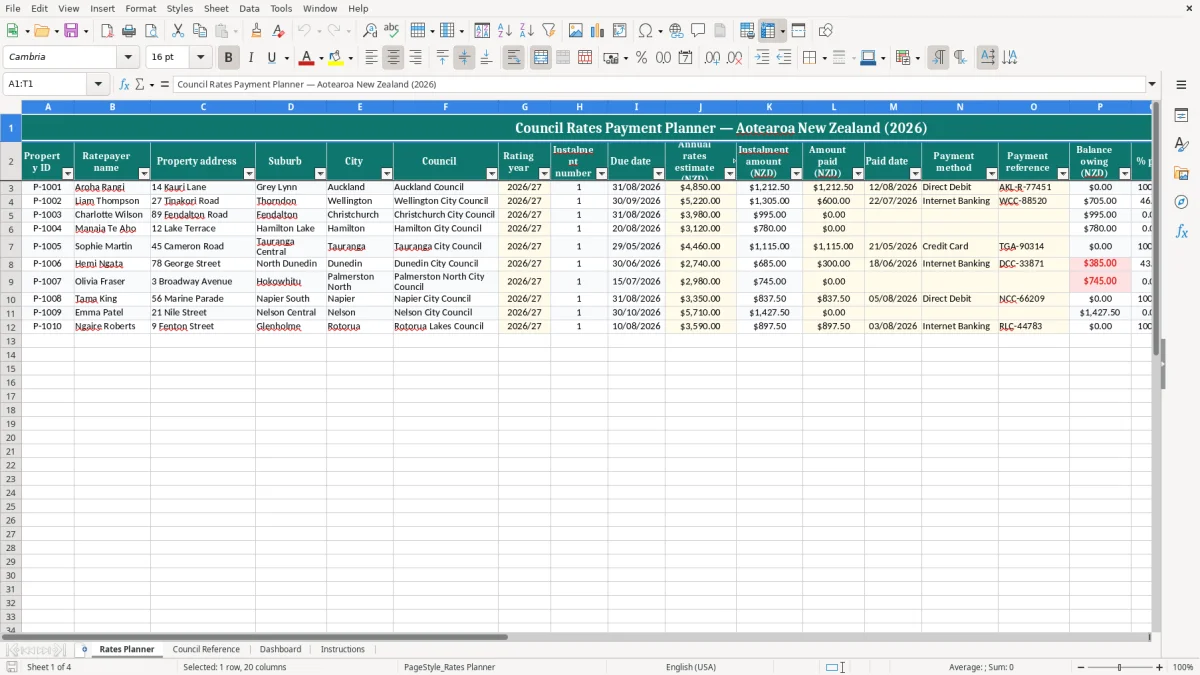
Keep your New Zealand council rates organised with a practical Excel payment planner. Record properties, ratepayers, councils, rating years, instalment due dates, amounts paid and outstanding balances in one clear worksheet.
The template is suitable for homeowners, landlords and property managers who need a straightforward way to monitor rates obligations across one or more properties. Use it as a personal planning and record-keeping tool alongside your official council invoices, account statements and payment confirmations.
The key benefits of this Excel template
- Track multiple properties or rates accounts in one organised worksheet.
- Record council rates due dates and instalment information clearly.
- Monitor annual rates, payments made and outstanding balances.
- Keep payment dates, methods and transaction references together.
- Review upcoming obligations and identify unpaid or partly paid rates.
- Support household, rental property and property management cash-flow planning.
Step-by-step guide
Add each property or rates account to the planner, then enter the ratepayer, address, suburb, city, council, rating year, instalment number and due date. Record the annual rates amount and update the amount paid whenever a payment is made. Add the payment date, method and council or transaction reference so your records can be reconciled with bank statements.
Use the notes field for part payments, invoice queries, direct debit information or follow-up reminders. Review the due dates and balances regularly, particularly at the beginning of each month and before making a payment.
Council schedules, penalties, discounts and payment arrangements can differ, so confirm all dates and amounts against the relevant New Zealand council invoice or website. The workbook is designed to help you plan and organise information; it does not replace an official council account or payment receipt.
Included features
Property ID, ratepayer name, address, suburb and city fields.
Council and rating-year fields for New Zealand rates records.
Instalment number and due-date tracking.
Annual rates, amount paid and outstanding balance information.
Paid date, payment method, reference and notes fields.
Clear formatting for reviewing payment progress and rates commitments.
Why use a council rates payment planner in New Zealand?
Council rates are a regular household and property expense, but payment dates can be easy to overlook when you have more than one property, a rental portfolio or several financial commitments. A council rates payment planner gives you one place to record the information shown on your rates notices and monitor what has been paid.
Instead of searching through emails, paper invoices or online banking records, you can review the relevant property, council, rating year, instalment and due date in a single Excel worksheet. This makes it easier to prepare for upcoming payments and identify accounts that still need attention.
The template is designed for the New Zealand context, with fields for local councils, rating years and dates displayed in day/month/year format. It can be used by homeowners, landlords, family trusts, administrators and property managers who want a simple record of rates obligations.
You can add one row for each account or create separate rows for instalments when more detailed tracking is useful. The planner also provides space for payment methods, references and notes, helping you retain useful information after a payment is made.
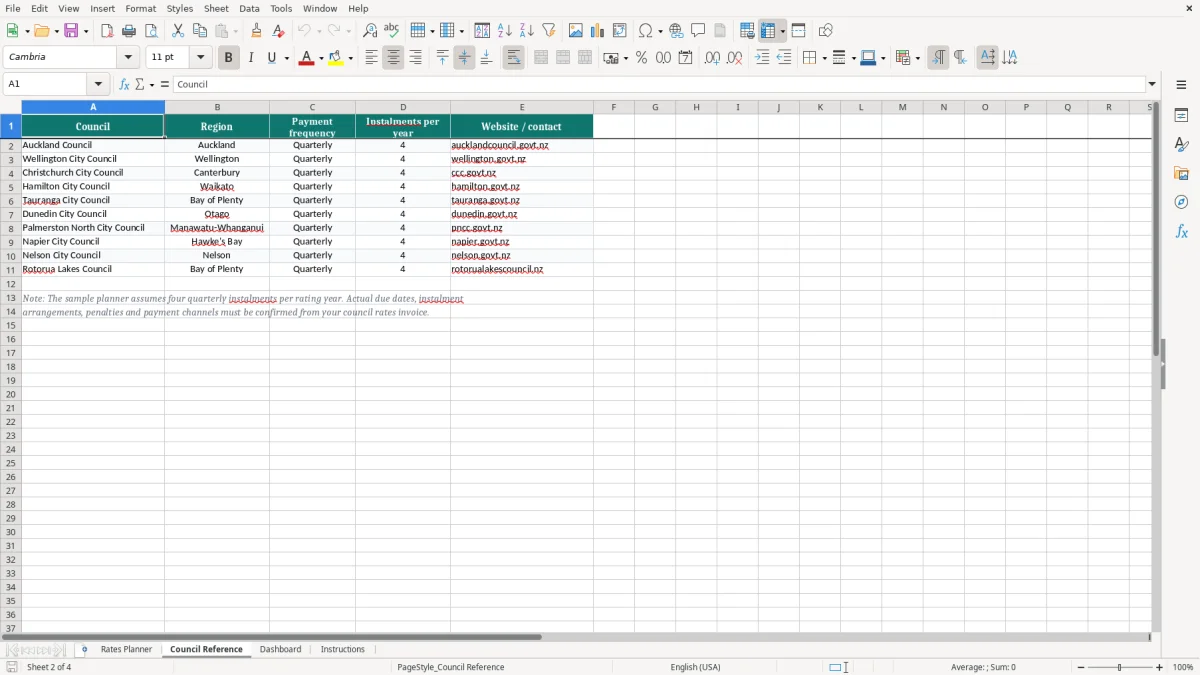
It is important to remember that every council may use different instalment dates, payment options and policies for late or partial payments. The spreadsheet should therefore be used with your official rates invoice and council account information.
It helps you organise and review your records, but it does not confirm the amount legally owing or replace a council statement. By keeping the planner current, you can improve visibility over property costs and reduce the chance of missing an important rates payment.
How to track council rates instalments and payments
Start by entering the basic details for each rates account, including a property identifier, ratepayer name, address, suburb, city and council. Add the rating year exactly as shown on the council documentation, such as 2026/27, and enter the relevant instalment number and due date.
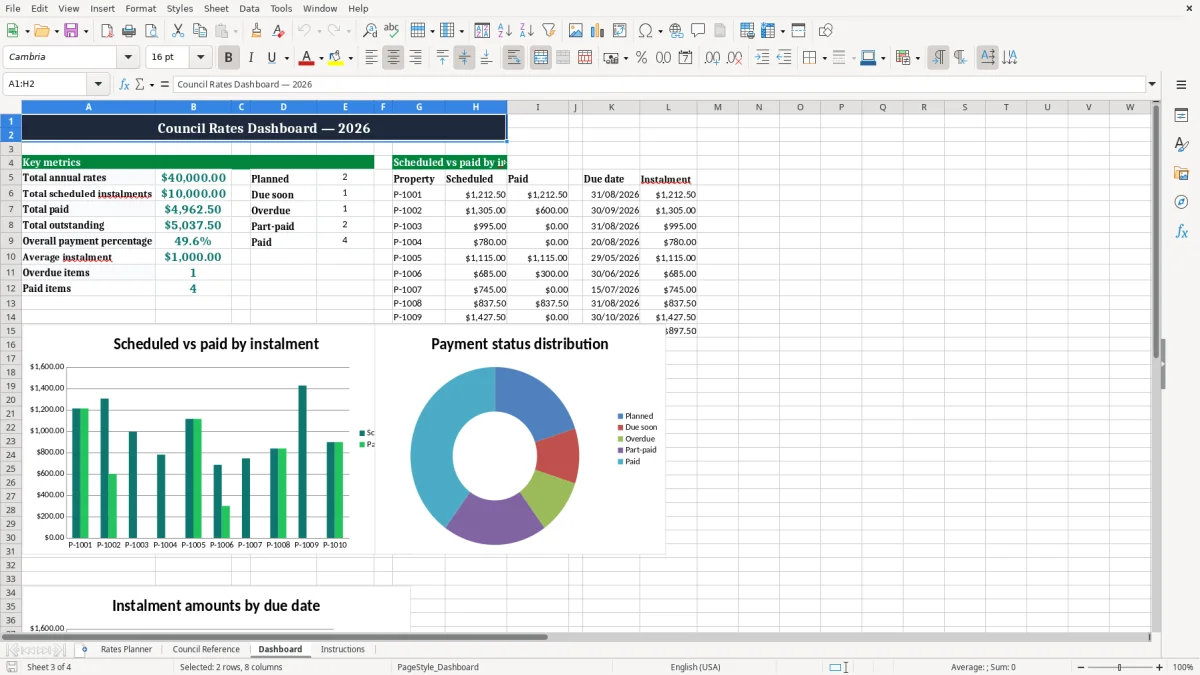
Next, record the annual rates amount and the amount that has already been paid. Keeping these figures together makes it easier to see whether an account is unpaid, partly paid or fully paid.
When you make a payment, enter the payment date, select or type the payment method and add the bank or council reference. A reference is especially useful when you manage several properties or need to match the spreadsheet to a bank statement later. Use the notes field for details such as a part payment, direct debit arrangement, invoice confirmation, change of ownership or a question sent to the council.
Review the worksheet regularly rather than updating it only once a year. A monthly review can help you identify approaching due dates, check that payment records are complete and set aside funds for future obligations.
If your council uses quarterly instalments, you may prefer one row per instalment so each due date and payment can be monitored separately. If you only need an annual overview, one row per rates account may be sufficient. Always compare your entries with the latest council notice because dates, amounts and account arrangements can change.
The planner is not a payment system and does not send funds to a council. Make payments through the official channel provided by the relevant council, then update the workbook after confirmation.
Managing rates for multiple properties
People who own or manage multiple properties often need more than a reminder in a calendar. Each property may have a different council, rates amount, due date, payment method or account reference. A structured Excel planner allows these details to be recorded consistently, making it easier to compare obligations without mixing accounts.
Use a unique Property ID for every property and keep the full address in the address field. Include the council and city so that similar properties can be distinguished quickly, particularly when several accounts are paid from the same bank account.
For rental properties, the planner can support general expense administration by showing the expected annual rates and payments already made. It should not be treated as a replacement for professional tax advice or detailed property accounting. Property managers can also use the reference and notes fields to record invoice checks, owner communications and payment confirmations.
When several people update a workbook, agree on a consistent format for dates, payment methods and references. Save the file in a secure location and retain copies of supporting invoices and receipts. Avoid entering unnecessary sensitive information, such as online banking passwords or payment card details.
A rates planner is most useful when it is maintained as a living record. Schedule a regular review before each expected instalment, and update the amount paid as soon as the transaction has cleared.
If a property is sold, transferred or no longer managed, retain the historical information according to your record-keeping needs and mark the account clearly. These simple practices can make council rates administration more orderly, especially when obligations are spread across Auckland, Wellington, Christchurch, Hamilton, Tauranga, Dunedin or other New Zealand locations.
When the same record also needs to show levy amounts, an ACC CoverPlus levy estimate keeps the annual charge alongside the rates history.
Tips for accurate New Zealand council rates records
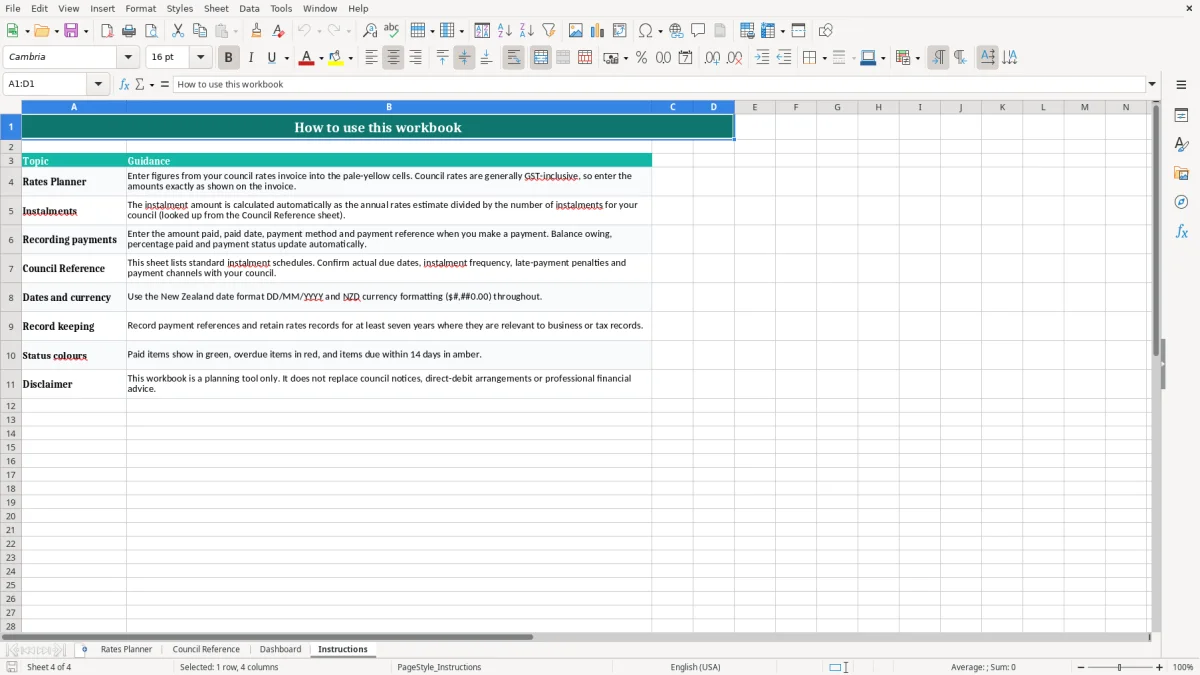
Accurate entries are important because a rates planner is only as reliable as the information entered into it. Begin with the latest official notice and copy the ratepayer name, property address, council, rating year, instalment details and total amount carefully. Use the date format consistently so that due dates are easy to read and sort.
Enter amounts as numbers rather than text, and update the amount paid after a payment has been processed or confirmed. If a payment is partial, record the actual amount and explain the arrangement in the notes field.
Do not assume that an earlier payment, discount or credit applies unless it is shown in the council account or confirmed by the council. Payment methods may include direct debit, internet banking, credit card or another option offered by the council. Keep the payment reference exactly as provided where possible, because it can help match the transaction to the correct rates account.
Review the outstanding amount against the council statement whenever a new invoice arrives. Councils can change instalment dates, rates assessments, payment arrangements and penalties, so historical entries should not be used to predict a future bill without checking current information.
If a due date is close and the invoice is missing, contact the relevant council rather than relying only on an old record. Store the workbook securely, make backups and limit access where it contains personal or property information. Finally, remember that this Excel template is a planning aid, not financial, legal or tax advice.
It does not calculate official rates liabilities and cannot confirm whether a payment has been received. Use the relevant council website, invoice, account statement or customer service team as the authoritative source.
That final check belongs with a contribution reconciliation sheet for matching payments against the authoritative statement.
Common questions about this template
Homeowners, landlords, property managers, administrators and anyone tracking one or more New Zealand council rates accounts can use it.
Yes. Add a separate row for each property or rates account, using the Property ID, address and council fields to keep records distinct.
Yes. Record an instalment number and due date, then enter the amount paid, payment date, method and reference. You can use one row per instalment for detailed tracking.
No. It is a planning and record-keeping tool. Confirm official amounts, due dates, credits and penalties with the relevant New Zealand council.
You can record methods such as direct debit, internet banking, credit card or any other payment option used for the council account.
Yes. Keep official invoices, account statements and payment confirmations with the workbook. These documents remain the authoritative record of your rates account.
Download
File format
Excel (.xlsx)
Compatible software
Excel, Google Sheets, LibreOffice
Price
Free